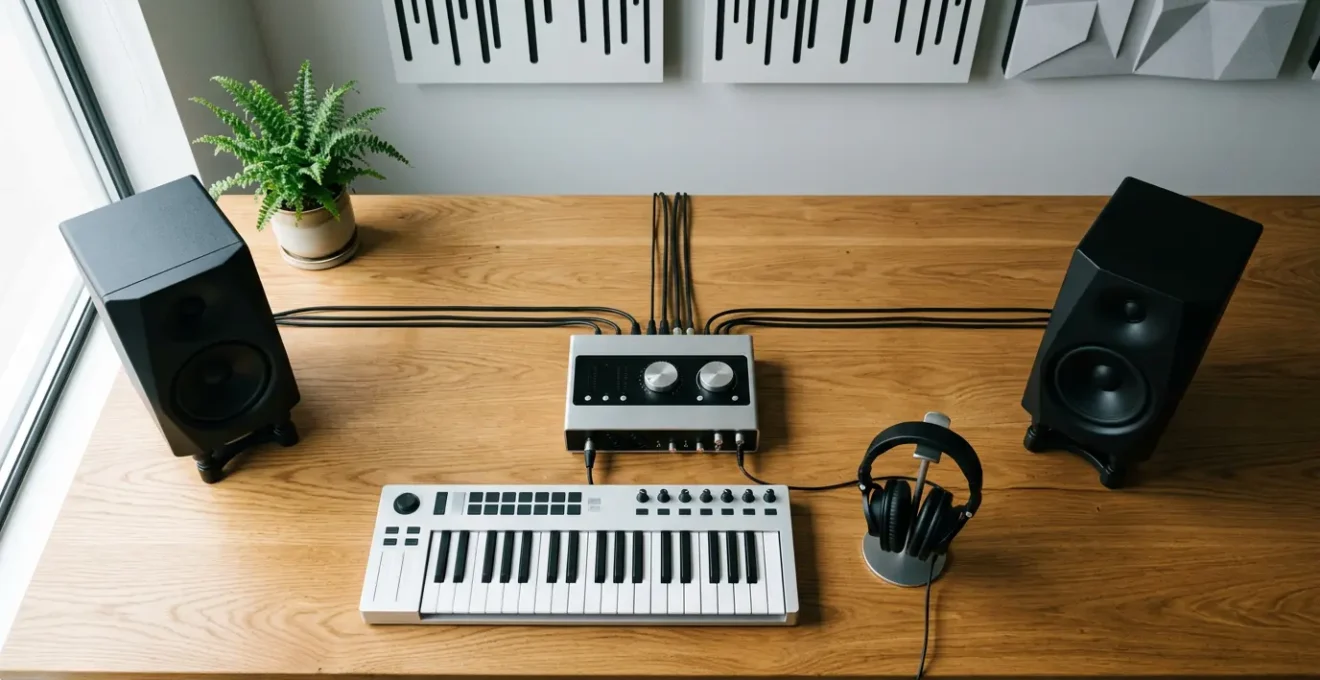
Releasing music consistently isn’t about raw talent or expensive gear; it’s about adopting a ruthless project manager’s mindset.
- Separate production into non-negotiable phases (e.g., arranging, mixing) to avoid context-switching that kills momentum.
- Commit to creative decisions by rendering MIDI to audio, preventing the endless cycle of tweaking that keeps tracks unfinished.
Recommendation: Stop thinking like an artist lost in the details and start acting like the CEO of your own music releases by implementing a structured, deadline-driven workflow.
As a singer-songwriter, your head is filled with melodies, lyrics, and emotion. You sit down to create, but hours later, you’re lost in a sea of technical details: auditioning the 50th snare sample, tweaking a synth patch you’ll barely hear, or trying to mix a kick drum before you’ve even written a chorus. The initial spark of creativity is gone, replaced by frustration. You have a hard drive full of 90%-finished ideas but nothing to show for it. Many artists believe the solution is more plugins, better gear, or waiting for a mythical burst of inspiration.
But what if the real bottleneck isn’t your creativity, but your process? The secret to a monthly release schedule isn’t about working faster; it’s about working smarter. It’s about shifting your identity from a wandering artist to a disciplined project manager. This means implementing a system with clear stages, non-negotiable rules, and a focus on one thing: finishing. This approach transforms production from a chaotic art project into an efficient, repeatable workflow that liberates your creativity by removing the administrative friction that bogs it down.
This guide will walk you through the key project management principles that successful self-producing artists use to ship music consistently. We will deconstruct the process into manageable phases, from creating a solid foundation to navigating the final distribution steps, ensuring you have a clear roadmap for every track.
Summary: A Project Manager’s Workflow for Monthly Music Releases
- Why Starting From a Blank Template Wastes 20 Minutes Every Session
- Rendering MIDI to Audio: Why Freezing Tracks Helps You Move Forward
- The Two-Hat Rule: Why You Shouldn’t Mix While You Arrange
- The « Final_Final_V3 » Nightmare: Naming Conventions That Save Sanity
- Parkinson’s Law in Music: How to Finish a Track in 3 Hours
- The 10 Keyboard Shortcuts That Double Your Production Speed
- Why Uploading 4 Weeks in Advance Is Crucial for Playlist Pitching
- How to distribute your music to Spotify and Apple Music effectively?
Why Starting From a Blank Template Wastes 20 Minutes Every Session
Every project needs a solid foundation. In music production, starting with a blank digital audio workstation (DAW) project is the equivalent of a construction crew showing up to an empty lot with no blueprints. Before you can even begin the creative work of writing, you’re forced into low-value administrative tasks: creating tracks, loading your favorite virtual instruments, routing sends and returns for reverb and delay, and setting up your master chain. This initial setup introduces administrative friction that drains your creative energy before you’ve played a single note.
A well-built template is your project blueprint. It should open with your go-to drum machine already loaded, your vocal chain ready to record with a placeholder EQ and compressor, and your essential instruments (piano, synth pad, bass) pre-loaded and routed. This isn’t about limiting creativity; it’s about eliminating repetitive decisions. By standardizing your starting point, you can dive directly into songwriting and arrangement the moment inspiration strikes. Research shows that by using a pre-configured session, producers can save 15-30 minutes of tedious setup time for every single session. Over the course of a month, that’s hours of creative time reclaimed.
Even seasoned professionals like composer Hans Zimmer rely on massive, highly standardized templates to maintain an efficient workflow for major film scores. His system has instruments, effects, and routing pre-configured, allowing him to focus entirely on composition, not technical setup. Your template is the first and most critical step in building an efficient production line for your music.
Rendering MIDI to Audio: Why Freezing Tracks Helps You Move Forward
One of the biggest traps in modern music production is the « paradox of choice. » With infinite MIDI tracks and tweakable virtual instruments, it’s easy to spend hours changing a synth’s filter cutoff or auditioning different piano sounds. This is a classic production bottleneck where creative progress stalls. The solution is a powerful project management technique: the decision commitment. In music, this is achieved by rendering or freezing your MIDI tracks to audio.
This action is more psychological than technical. It signifies that a decision has been made and that part of the project is complete. Once a synth part is an audio waveform, you are far less likely to go back and alter the sound design. Instead, you’re forced to move on to the next task, such as arranging the next section or working on a harmony. This builds forward momentum and prevents the endless tinkering that leads to unfinished projects. It also significantly reduces CPU load, leading to a smoother, more stable production environment without distracting glitches or high latency.

As the image above illustrates, this is a definitive transition. A good practice is to adopt a batch-processing mindset. Dedicate a specific, short block of time solely to rendering all finished MIDI parts once the core arrangement is in place. Archive the original MIDI tracks in a separate folder as a backup, then disable them and proceed with the audio stems. This enforces a clear separation between the sound design phase and the arranging/mixing phases, keeping your project moving forward along the production line.
The Two-Hat Rule: Why You Shouldn’t Mix While You Arrange
Finishing music faster isn’t about rushing the creative process. It’s about eliminating the administrative friction that constantly slows you down.
– Pibox Resources, 8-Step Music Production Workflow Guide
A core principle of efficient project management is « phase gating, » which means you don’t start one phase until the previous one is complete. In music production, this translates to the Two-Hat Rule: you cannot wear your « Mixer » hat while you are wearing your « Arranger » hat. These two tasks require fundamentally different mindsets. Arranging is a right-brain, creative, and exploratory activity. Mixing is a left-brain, analytical, and critical activity focused on problem-solving.
Switching between these two « hats » is a form of context-switching that kills productivity. When you stop writing a melody to spend 20 minutes EQing a hi-hat, you’ve derailed your creative momentum for a task that should be saved for a dedicated mixing session. This constant back-and-forth is a primary reason tracks get stuck. The project manager’s approach is to strictly forbid detailed mixing during the arrangement phase. Your only goal during arrangement is to get the musical ideas down and structure the song.
However, a project does need to be listenable. To avoid getting lost in mixing, define a set of simple, « legal » moves you’re allowed to make during arrangement. Anything beyond this is deferred to the dedicated mixing phase.
Permitted Mixing Moves During Arrangement
- Adjust volume faders only for basic level balancing to hear all elements.
- Use simple panning (hard left, center, hard right) for basic spatial placement.
- Apply a single high-pass filter (around 80-120Hz) on non-bass instruments to remove low-end mud.
- Apply a single low-pass filter only if a sound is excessively bright and distracting.
- Do NOT add compression, reverb, delay, saturation, or any other creative effects during this phase.
The « Final_Final_V3 » Nightmare: Naming Conventions That Save Sanity
If your project folder looks like a mess of files named « SongIdea_final, » « SongIdea_final_mix2, » and « SongIdea_REALLY_final_V3.wav, » you are creating unnecessary work and confusion for yourself. This is a classic project management failure. Poor file management is a form of administrative friction that costs time and increases the risk of critical errors, like sending the wrong version to a collaborator or uploading an unmastered file for distribution.
A disciplined naming convention is not a suggestion; it’s a non-negotiable rule in an efficient production system. It provides clarity, ensures you are always working on the correct version, and makes collaboration seamless. The system should be logical, chronological, and descriptive, telling you the status of a project or file at a glance. Instead of vague terms like « final, » use action-based descriptions that document what has changed. This creates an implicit changelog directly in the filename.
Implementing a standardized system across all your projects saves cognitive load. You no longer have to waste mental energy deciphering your own file system. Below is a five-step plan to create a robust naming convention that will eliminate confusion and save you hours in the long run.
Action Plan: A Sanity-Saving File Naming System
- Use Descriptive Actions: Name project files with actions, not version numbers. Use `SongName_DrumsEdited` or `SongName_VocalsComped` instead of `SongName_V2`.
- Standardize Date Stamps: Always include the date in `YYYY-MM-DD` format at the end of the filename (e.g., `SongName_DrumsEdited_2024-10-26`). This ensures chronological sorting.
- Implement Status Prefixes: Use prefixes for individual tracks or project ideas to know their status instantly. Common examples include `IDEA_`, `WIP_` (Work In Progress), `NEEDS_FX_`, and `DONE_`.
- Create a Bounce Formula: For exported audio files, use a strict format: `SONGNAME_[BPM]bpm_[Key]_[Stage]_[Date].wav`. Example: `CrystalCaverns_120bpm_Am_Mixdown_2024-10-28.wav`.
- Maintain a Changelog: In your main project folder, keep a simple `.txt` file named `changelog.txt`. After each session, add a single line with the date and a brief description of the changes made.
Parkinson’s Law in Music: How to Finish a Track in 3 Hours
Parkinson’s Law states that « work expands so as to fill the time available for its completion. » If you give yourself an entire month to finish one song, you will take the entire month. You’ll spend weeks on details that no listener will ever notice. However, if you give yourself just three hours to complete a full song idea, you force yourself to make quick, intuitive decisions and focus only on what is essential. This is not about releasing a three-hour track, but about using extreme time constraints to overcome creative paralysis and generate the core of a song efficiently.
Applying this law means breaking the production process into a series of timed « sprints. » For example: 30 minutes for the main chord progression and beat, 60 minutes for the full arrangement (verse, chorus, bridge), and 90 minutes for writing and recording a guide vocal. This deadline-driven approach forces you to commit to ideas and build momentum. As many producers know, the initial song idea is the most important part; a great song with a decent mix can be a hit, but a perfect mix of a bad song is worthless. This method prioritizes capturing that great idea quickly.
This focus on finishing is what separates prolific artists from hobbyists. An independent artist who accumulated over 100 million streams did so not by releasing sprawling albums, but by consistently finishing and releasing high-quality singles. Their strategy prioritized completing the entire workflow for a select number of tracks rather than accumulating a library of unfinished demos. By setting aggressive, artificial deadlines, you can train your creative muscles to work efficiently and decisively, ensuring a steady output of finished material.
The 10 Keyboard Shortcuts That Double Your Production Speed
In any project, the most time-consuming tasks are often the small, repetitive ones. In music production, this means actions like splitting a clip, duplicating a region, zooming in and out, or saving your project. Reaching for the mouse, navigating menus, and clicking through options for these tasks hundreds of time per session creates a significant amount of administrative friction. It breaks your creative flow and adds up to a massive waste of time. Learning keyboard shortcuts is not a « nice-to-have » skill; it is a fundamental requirement for an efficient workflow.
By mastering just 10-15 essential shortcuts, you can keep your hands on the keyboard and execute commands in a fraction of a second. This allows your tools to become an extension of your creative thoughts, rather than an obstacle to them. Producers who master shortcuts can save a considerable amount of time on every single project, allowing them to stay in a state of creative flow for longer. The goal is to build muscle memory so that these actions become automatic, requiring no conscious thought.

Don’t try to learn 50 shortcuts at once. Instead, adopt a progressive system. In week one, focus only on mastering the essentials: copy, paste, undo, cut, and save. In week two, add transport controls like play, stop, record, and loop. In week three, add your most-used editing tools like split clip and consolidate. Keep a small cheat sheet taped to your monitor as a reminder. Within a month of consistent use, these shortcuts will become second nature, and you’ll wonder how you ever worked without them.
Why Uploading 4 Weeks in Advance Is Crucial for Playlist Pitching
Finishing a track is only half the battle. If your goal is to be heard, distribution requires a project plan of its own. One of the most common and costly mistakes independent artists make is finishing a song one day and uploading it to their distributor for release the next. This completely removes any possibility of being considered for major editorial playlists on platforms like Spotify, which are a primary driver of discovery for new artists.
To have your music considered by Spotify’s editorial team, you must submit it through the Spotify for Artists portal *before* the release date. Crucially, this pitching tool only becomes available *after* your distributor has delivered the track to Spotify. Platform data indicates that to give editors enough time to review the high volume of submissions they receive, pitching your tracks 3-4 weeks in advance is the optimal timeline. This means your track must be 100% finished, mixed, mastered, and uploaded to your distributor a full month before your target release day.
This requirement makes a reverse-engineered timeline essential. You must start with your release date and work backward to set deadlines for every stage of production. This is the ultimate project management tool for a music release, turning a vague goal into a concrete, actionable plan.
| Timeline | Action / Milestone |
|---|---|
| Week -7 | Finalize composition and arrangement. |
| Week -6 | Complete final mixdown and all automation. |
| Week -5 | Send for mastering or complete mastering process. |
| Week -4 | Upload final master to distributor. |
| Weeks -4 to -3 | Submit editorial pitch via Spotify for Artists. |
| Week -1 | Begin pre-release marketing campaign. |
| Release Day | Track goes live; monitor analytics. |
Key Takeaways
- System over inspiration: A structured, phase-based workflow is more reliable for consistent output than waiting for creative bursts.
- Eliminate friction: Identify and remove small, repetitive tasks (file naming, session setup) that drain creative energy.
- Plan backwards: Your release date dictates your entire production schedule. A reverse-engineered timeline is non-negotiable for effective promotion.
How to distribute your music to Spotify and Apple Music effectively?
The final stage of your project is delivery. After all the work of writing, producing, mixing, and mastering, the distribution process should be a smooth, efficient, and stress-free step. Yet for many artists, it’s a frantic scramble to gather the necessary files and information at the last minute. An effective distribution strategy is one where this final step is prepared for from the very beginning. This is especially vital as the music industry recorded $29.6 billion in revenue in 2024, showing that the opportunity for independent artists to find an audience is immense, provided they operate professionally.
The key is to create a reusable « Release Kit. » This is a master folder template that contains all the assets and metadata you need for every single release. Before you even start a new song, you can duplicate this kit, ensuring that all the administrative components of a release are ready to go. When it’s time to upload to a distributor like TuneCore, DistroKid, or CD Baby, the process can take as little as 10 minutes because you’re simply populating fields with information you’ve already prepared.
Your Release Kit template should contain sub-folders for your high-resolution artwork (at least 3000×3000 pixels), press photos, and a text document with your standard artist bio. Most importantly, it should include a master metadata file containing your publisher information (if any), IPI number, and a list of pre-generated ISRC codes for your upcoming tracks. By preparing these elements in advance, you transform the distribution process from a chore into a simple, final checklist item for your project.
By implementing these project management principles, you shift your focus from simply making music to consistently finishing and releasing it. This system provides the structure and discipline that frees your mind to do what it does best: create. Start today by building your template, defining your naming conventions, and planning your next release with a reverse-engineered timeline.