In summary:
- A clear mix starts with volume and panning; these two tools solve 80% of your problems before you even touch an EQ.
- Create sonic space by strategically cutting low frequencies from instruments that aren’t the bass or kick drum.
- Use bold LCR (Left-Center-Right) panning for maximum width and separation, avoiding subtle, « in-between » positions.
- Prioritize dynamic range over pure loudness. Streaming services will turn down overly loud tracks, making them sound weaker.
- Trust your ears, but always verify your mix decisions by testing on different speakers and comparing them to professional reference tracks.
You’ve written a great song. The melody is catchy, the performance is passionate, but when you play it back, it just sounds… amateur. The instruments feel like they’re fighting each other, the vocals get lost, and the whole thing is a wash of « mud. » You dive online for solutions and are immediately overwhelmed by a tidal wave of technical jargon: multi-band compression, side-chaining, frequency masking, and endless debates about expensive plugins and acoustic treatment. It feels like you need a degree in physics just to make your demo listenable.
This is where most musicians get discouraged, believing a professional sound is out of reach without a high-end studio and years of technical training. The common advice pushes you toward complex tools, assuming the problem is a lack of processing. But what if the secret to a clear, powerful mix isn’t about adding more, but about strategic subtraction? What if the real key lies not in complex plugins, but in making a few simple, decisive choices with the tools you already have?
This guide is built on that principle. We’re going to ignore the intimidating complexities and focus on the pragmatic, ear-focused techniques that deliver the biggest results with the least effort. You’ll learn how to build an « emotional hierarchy » with just your faders, carve out « stereo real estate » with your pan knobs, and know with confidence when your track is truly finished. This is about reclaiming creative control and making your music sound as good as it feels, without ever needing to become an audio engineer.
To guide you through this process, we’ve broken down the essential, non-technical steps to achieving a clean mix. The following sections will provide a clear roadmap, from initial balancing to final quality checks, ensuring you can apply these concepts to your own music immediately.
Summary: Your Roadmap to a Clearer Sound
- The Fader-Only Mix: Why You Don’t Need EQ Yet
- LCR Mixing: Creating Width by Being Bold with Pan Knobs
- Cleaning the Mud: Why Cutting Lows on Guitars Fixes the Bass
- Why Dynamic Range Matters More Than Being the Loudest on Spotify
- A/B Testing: How to Know If Your Snare Is Actually Too Loud
- Blankets vs Foam: Treating Your Room for Mixing Under £50
- Leaving Space for Mastering: Why -6dB Peaks Matter
- How to know when a mix is professional enough to release?
The Fader-Only Mix: Why You Don’t Need EQ Yet
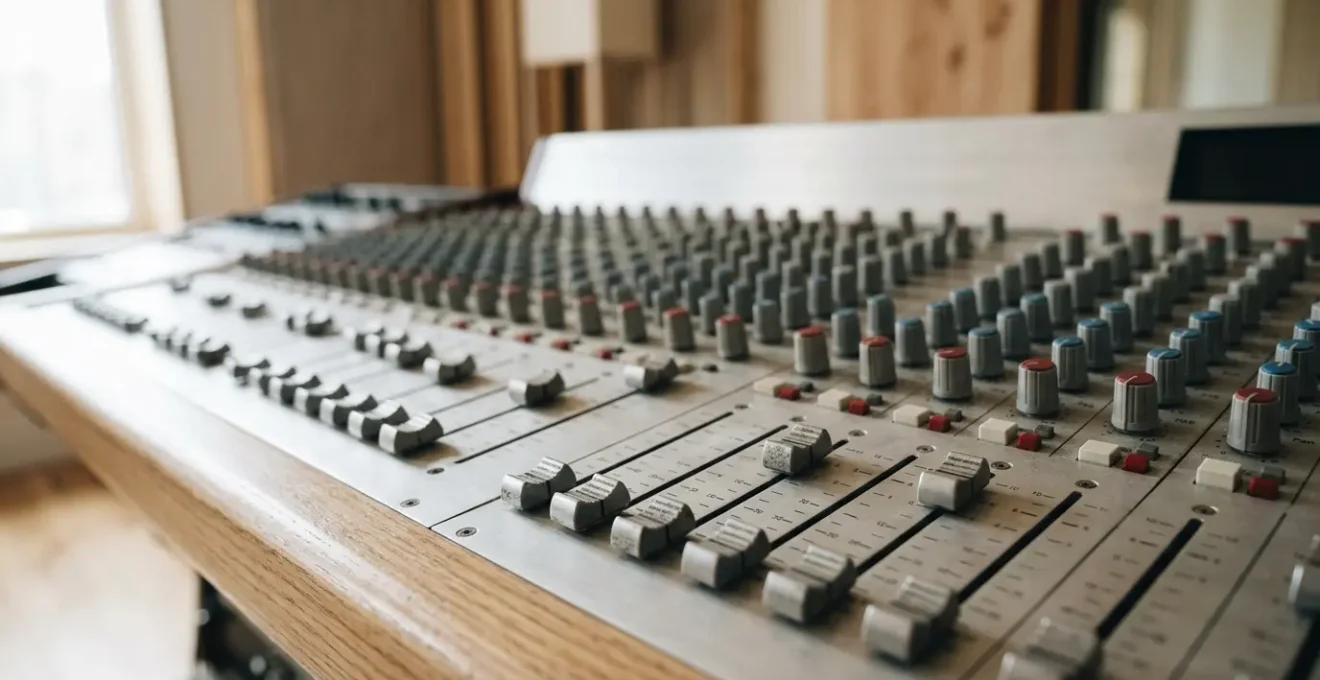
Before you reach for a single EQ or compressor, the most powerful mixing tool at your disposal is the volume fader. The core of a great mix isn’t processing; it’s balance. A « fader-only » mix forces you to make critical decisions about what is truly important in your song. This isn’t a technical exercise; it’s about establishing an emotional hierarchy. What element should be the star of the verse? What drives the energy in the chorus? Answering these questions with volume alone will solve the majority of your clarity issues.
The process is simple but incredibly effective. By focusing solely on levels, you learn to appreciate the relationships between instruments. You start to hear how a slightly quieter rhythm guitar allows the vocal to breathe, or how pushing the snare up just a decibel can transform the groove. Top engineers often argue that you can get 80% of your mix done this way. This step builds the entire foundation of your track. If it doesn’t sound good with just faders and panning, no amount of fancy plugins will save it.
To get started, follow this simple workflow:
- Step 1: Organize and color-code all your tracks by category (drums, bass, guitars, vocals, etc.). A clean session leads to a clean mix.
- Step 2: Adjust the input gain of each track so the faders can sit comfortably around the 0dB mark. This gives you maximum resolution for fine adjustments.
- Step 3: Start by bringing up the single most important element of your track, which is often the lead vocal or the core rhythm like the kick and snare.
- Step 4: One by one, bring in the other instruments, constantly asking, « How does this support the main element? » Adjust their faders relative to what’s already playing.
- Step 5: Focus on creating contrast. Maybe the verses are intimate with the vocal way out front, while the chorus is a wall of sound where everything pushes forward together. Use your faders to tell that story.
LCR Mixing: Creating Width by Being Bold with Pan Knobs
Once your levels are balanced, the next step is creating width and separation. Many beginners make the mistake of panning instruments subtly—a guitar at 25% left, a synth at 40% right. This often creates a cluttered, narrow-sounding center. The counter-intuitive solution is LCR (Left-Center-Right) mixing. This technique involves making a bold choice: every track is panned either hard left, dead center, or hard right. There are no « in-between » positions.
This approach works because it forces separation and maximizes the stereo field. By assigning each instrument its own « stereo real estate, » you eliminate competition and allow each part to be heard clearly. A centered vocal remains the focus, while hard-panned rhythm guitars create a wide, immersive wall of sound, and a centered bass and kick drum provide a solid anchor. Think of your mix as a stage: you wouldn’t have all the band members crowding the very middle.

This bold separation creates pockets for each sound to exist without fighting. As you can see, giving elements their own distinct space prevents them from masking each other, resulting in a mix that feels both wide and incredibly clear. This technique isn’t a rule, but it’s an incredibly powerful starting point that often yields more professional results than timid, subtle panning.
Case Study: AC/DC’s ‘Back in Black’ – LCR Panning in Action
AC/DC’s iconic ‘Back in Black’ demonstrates the power of LCR panning by separating dual guitar lines completely – one hard left, one hard right. This technique allows both melodic lines to play simultaneously without masking each other, creating the signature wide, powerful sound that defined the album. The approach works because it forces clear separation rather than subtle positioning, making every element instantly identifiable in the stereo field.
Cleaning the Mud: Why Cutting Lows on Guitars Fixes the Bass
The most common complaint in an amateur mix is « muddiness, » a cluttered, boomy low-mid range where the bass and guitars fight for space. The problem is almost never the bass guitar itself. It’s usually the result of other instruments, like electric guitars, synths, and even vocals, containing unnecessary low-frequency information that competes with the bass and kick drum. Your ears may not even perceive these low frequencies on a guitar track when soloed, but they add up in a full mix to create a sonic mess.
The solution is a high-pass filter (HPF), an EQ that cuts all frequencies below a certain point. By applying an HPF to every track that isn’t a bass or kick drum, you are « cleaning up the mud » and creating a dedicated pocket for your low end to shine through. This single move can instantly make your mix sound more professional and defined. For rhythm guitars, a great starting point is to cut everything below 100Hz. In fact, a study of professional practices shows that around 100-120Hz for rhythm guitars is a common and effective setting.
The key is to do this in context, not in solo. Follow this process:
- Solo the bass and guitar tracks together. You want to hear their interaction.
- On the guitar track, engage a high-pass filter and slowly sweep it upward from 20Hz.
- Listen carefully to the point where the guitar starts to sound thin or lose its « body. » Stop, and then pull the filter back slightly from that point.
- If your EQ allows it, solo the frequency band you’re cutting to hear exactly what you’re removing—it’s often just useless rumble.
- Toggle the filter on and off. You should hear the bass become instantly clearer and more defined when the filter is on, without the guitar sounding weak.
- For lower-tuned instruments like 7-string guitars, you might start your filter lower, around 80-100Hz, depending on the bassline.
Why Dynamic Range Matters More Than Being the Loudest on Spotify
There’s a persistent myth that to sound professional, your track needs to be as loud as possible. This led to the « loudness war, » where producers compressed songs into dense, fatiguing « bricks » of sound. However, the game has changed. Streaming services like Spotify, Apple Music, and YouTube all use loudness normalization. This means they automatically turn down tracks that are too loud to a standard level (around -14 LUFS). The loudness illusion is over.
What does this mean for you? It means that crushing your mix with a limiter to make it loud is not only unnecessary, it’s counter-productive. A heavily compressed track will simply be turned down by Spotify, and in the process, it will lose all its punch, life, and dynamic range. A quieter, more dynamic mix, on the other hand, will either be left alone or turned up, preserving its impact. Dynamics—the difference between the quietest and loudest parts of your song—are now more important than sheer volume.

A waveform with healthy peaks and valleys, like the one visualized above, translates to punch and excitement for the listener. A flattened « brick » waveform sounds lifeless and tiring by comparison. The goal is to preserve this natural energy, not to squash it in the pursuit of outdated volume standards.
A track mastered at -6 LUFS gets turned down to -14 LUFS on Spotify, and now it sounds worse than a track mastered at -14 LUFS with its full dynamic range intact.
– LuvLang Studio, LUFS Explained: The Complete Guide to Loudness Standards
A/B Testing: How to Know If Your Snare Is Actually Too Loud
After working on a mix for hours, you lose all perspective. Is the vocal too loud? Is there enough bass? This is called « ear fatigue, » and it’s the enemy of good mixing. The solution is to use a reference track. A/B testing is the process of quickly switching between your mix and a professionally mixed, commercially released song in a similar genre. This instantly recalibrates your ears and provides an objective benchmark.
The goal isn’t to make your song sound *exactly* like the reference track, but to compare specific relationships. Instead of asking, « Does my mix sound good? » ask, « How loud is their snare compared to their vocal? » or « How much reverb is on their lead synth compared to mine? » This systematic listening approach turns a subjective art into a more objective process. One of the most common issues it reveals is the balance of key elements like drums and vocals.
Action Plan: Auditing Your Mix Balance
- Points of Contact: Choose one or two high-quality, professional tracks in the same genre as your song. These are your reference points.
- Collect Data: Listen to both your mix and the reference track on every system available to you: studio headphones, laptop speakers, in your car, and on your phone.
- Analyze Coherence: Critically compare the balance of key elements. Is your kick drum as present as theirs on laptop speakers? Is your lead vocal as clear in the car? Focus on these *relationships*, not the overall tone.
- Evaluate Emotion: Does the energy of your chorus hit as hard as the reference track’s? Is the intimacy of the verse comparable? A mix is about conveying feeling.
- Create an Integration Plan: Identify the single biggest discrepancy (e.g., « my snare is too quiet, » or « my vocal is too dry ») and make one targeted adjustment. Repeat the process if necessary.
Case Study: The Pink Noise Mixing Technique
The pink noise mixing technique provides an objective starting point by removing emotional bias. Generate pink noise in your DAW at a moderate level (e.g., -12dB RMS), then blend it with your mix. Adjust individual track faders until each instrument is barely audible through the curtain of pink noise. This creates a surprisingly balanced foundation because pink noise contains equal energy per octave, mirroring human hearing and forcing proper level relationships. Once balanced, remove the pink noise and fine-tune. This method significantly reduces the common problem of over-emphasizing certain elements due to ear fatigue.
Blankets vs Foam: Treating Your Room for Mixing Under £50
You don’t need a perfectly treated acoustic studio to get a decent mix, but you do need to control the most damaging reflections in your room. When sound leaves your speakers, it bounces off the walls, ceiling, and floor before reaching your ears. These reflections arrive slightly later than the direct sound, causing phase issues and smearing the stereo image. The most critical of these are the « first reflections » from the side walls.
Forget expensive, thin acoustic foam. For under £50, you can achieve far better results with a couple of thick duvets or moving blankets. The key is to place them at the first reflection points. A simple « mirror trick » can help you find these spots with precision. Treating just these key points will eliminate a huge portion of the acoustic problems that cloud your judgment and lead to poor mixing decisions. Often, proper speaker and listening position placement using the equilateral triangle setup provides more benefit than thousands of pounds in treatment, and it costs nothing.
Here’s how to perform the mirror trick to find your first reflection points:
- Sit in your normal mixing position.
- Have a friend hold a small mirror flat against the wall to your left, at the same height as your speakers.
- Have them slide the mirror along the wall from the speaker towards you.
- The exact spot where you can see the reflection of the left speaker’s tweeter in the mirror is your left-wall first reflection point. Mark it.
- Repeat the process for the right speaker on the right wall.
- Hang a thick blanket or duvet at these two marked spots. For maximum effectiveness, ensure there is an air gap of at least a few inches between the blanket and the wall.
Key Takeaways
- Balance Before Processing: A good mix is achievable with 80% faders and panning alone. Focus on the emotional hierarchy of your song.
- Be Bold with Panning: Use LCR (Left-Center-Right) to create maximum width and clarity. Avoid cluttered, narrow-sounding center images.
- Clean the Mud: Use a high-pass filter on everything except kick and bass to create a dedicated pocket for your low end.
- Embrace Dynamics: In the age of streaming, dynamic range is more important than loudness. Don’t squash your mix.
- Listen Systematically: Use reference tracks and test your mix on multiple systems (car, laptop, phone) to maintain perspective.
Leaving Space for Mastering: Why -6dB Peaks Matter
A common mistake for beginners is to push the final mix right up to 0dB on the master fader, leaving no room for the next stage: mastering. Mastering is the final polish that prepares your track for distribution, ensuring it translates well across all playback systems. To do their job effectively, mastering engineers need « headroom »—space to work their magic with EQ, compression, and limiting. Pushing your mix to the limit is like handing a painter a canvas that’s already completely covered in black paint.
The standard convention is to deliver a mix that peaks at around -6dBFS on your master meter. This provides ample headroom for the mastering process. Crucially, this level should be achieved by lowering the individual track faders, not by simply pulling down the master fader. Lowering only the master fader can hide « internal clipping » where individual plugins in your chain are being overloaded, even if the final output meter looks fine.
Why Individual Fader Reduction Beats the Master Fader for Headroom
Lowering individual track faders rather than just the master fader preserves internal balance and prevents hidden clipping. When you reduce only the master fader, individual tracks remain at their original operating levels—meaning any internal clipping or plugin overload issues persist. However, reducing each individual fader lowers the signal before it hits plugins, preventing ‘invisible’ internal clipping that can occur in analog emulation plugins even when your master meter shows headroom. This approach also maintains the proper gain staging throughout your plugin chain, ensuring compressors and saturators work as intended.
Many analog emulation plug-ins are expecting levels around -12 to -18 dBFS as nominal operating levels, exactly like the hardware devices they are modeled after.
– Quora Audio Engineering Community, Discussion on gain staging and headroom
How to know when a mix is professional enough to release?
The final, and perhaps most difficult, question is: when is a mix « done »? It’s easy to fall into a trap of endless tweaking, chasing an elusive perfection that never arrives. The truth is, a mix is never perfect. A mix is finished when it effectively communicates the emotion of the song and translates well across different playback systems. The key is to shift your focus from technical perfection to emotional communication and practical translation.
If your mix sounds powerful and clear on your studio monitors but falls apart in the car or on laptop speakers, it’s not finished. A professional mix holds up in the real world. This is where the final « translation test » becomes your most important quality control checklist. If your song passes these tests, it’s ready. It’s time to let go of the pursuit of perfection and embrace the power of « finished. »
Your final checklist before you export should be the Translation Test:
- Test 1 (Headphones): On a good pair of studio headphones, are the vocals and main groove clear and balanced?
- Test 2 (Laptop): Through basic laptop speakers, is the vocal still intelligible? Does the kick and snare still have some punch? (The deep bass will naturally disappear).
- Test 3 (Car): At a moderate volume in your car, can you discern all the primary elements without straining to hear them?
- Test 4 (Phone): On a phone speaker (the mono, worst-case scenario), is the lead vocal clear and is the core rhythm identifiable? If so, you’ve passed.
- Apply the « One Week Away » rule: Export the mix and do not listen to it for a full seven days. Come back with fresh ears. If no major, obvious flaw jumps out at you in the first 30 seconds, it’s finished. Trust your initial gut reaction after the break.
Now, open your latest project and try just one of these techniques. Start with the fader-only mix and trust your ears—you’ll be surprised how far they can take you. The goal is to make music, not to get stuck on technicalities. Go create.